• The MAC Counter at Brown Thomas

    Hands up now lads. How many of you have waited around while your significant other picked out makeup or browsed the aisles in a department store?

    Yeah, me too.

    This young fella was collecting the rubbish from the drawers and in contrast to the immaculately done up girls dressed in black he wore torn jeans and a cheap sweater.

    PS. Lunar eclipse in 2 hours time. I think I’ll be asleep!

    Aperture ƒ/4
    Camera Canon EOS 20D
    Focal length 10mm
    ISO 200
    Shutter speed 1/50s
  • Luigi Malone’s Clock

    Behind the bar in Luigi Malone’s Restaurant in Cork are 2 large clock faces. The bar goes around in a U shape and the other face is directly behind this one.

    They’re very striking, and the first thing anyone notices when they come in the front door. This is the one facing the dining area. In the dark it practically jumps out at you!

    Aperture ƒ/4.5
    Camera Canon EOS 20D
    Focal length 28mm
    ISO 800
    Shutter speed 1/30s
  • How DIT’s “Iomha ’08” photo contest can hijack your rights

    So, you’re all fired up and ready to enter a new photography content? Dublin Institute of Technology are holding a worthwhile photo content in the run up to Seachtain na Gaeilge this year. They are “seeking photographic entries on the theme of An Ghaeilge Bheo – Irish: The Living Language from both Ireland and abroad”. There’s a first prize of €1,500 which is not to be sniffed at!

    Unfortunately if you enter, you’re giving up some of your rights as a photographer. From the rules:

    14. Entrants will retain copyright in their submitted entries. However, by entering the competition all entrants grant the competition organisers a non-exclusive, worldwide, royalty-free, perpetual licence to use and publish each entry in any and all media (including print and online), for exhibition, publicity and any other purposes which the competition organisers in their sole discretion deem appropriate. DIT reserves the right to use the entries in the promotion and publicity campaign for the competition including exhibition and publishing of the images. All entries and entrants’ details will be securely stored.

    What does that mean for you? Let’s say you have some beautiful shots of the West of Ireland, in an area where Irish is spoken. Like many people you’d like to make a bit of money out of your hobby. Who will buy your image? Tourists might, but competition is fierce and it’s hard to get the shelf space for your art work. What about Government bodies? Maybe one of those departments advocating the Irish language will buy it?
    Good luck if you’ve entered that image in this competition. You’ve just handed DIT, Foras na Gaeilge, Oideas Gael and who knows who else the right to use your image in whatever way they like. You never know. Check the DIT Prospectus next year. Instead of paying money for a professional photographer they will have a ready made library of free photos to use, forever.

    OK, before you scream, “Nutter! They wouldn’t do that!” I agree, they probably won’t, but DIT aren’t the only ones to do this. National Geographic have a Your Shot page every month where they invite photographers to submit their best images. Guess what’s buried in the tems and conditions of that contest? They’re not the only well known brand to do it.

    Jim reminded me that even Facebook have some dodgy wording in their terms and conditions. How would you like that drunken picture of you singing and laughing at a bar with beer bottle in hand to appear in a Facebook advert? It could happen ..

    Many photography contests have similar terms and conditions. Before submitting a photo, read the small print. Even if you never want to sell an image, it won’t be nice to discover a treasured photo used in an inappropriate way.

  • Honda 70

    At first glance I thought this was a Honda 50 but closer inspection of the sticker reveals a “70”. There is more text that could be COB but if the Wikipedia page on the bike is right, it was probaby “CD” on it before it was ripped.

    Shot on the Grand Parade, right next to the construction work in front of the library!

    Aperture ƒ/3.5
    Camera Canon EOS 20D
    Focal length 10mm
    ISO 400
    Shutter speed 1/80s
  • Pig’s Head

    Apparently there’s a market for pig’s heads. I’ll eat all sorts of meat products, and I’ll eat them with little prompting but a pig’s head?

    I shot these two heads in the English Market last weekend. An American couple were looking at me as I shot this and afterwards the girl posed while her boyfriend took a photo. Gruesome!

    Aperture ƒ/3.5
    Camera Canon EOS 20D
    Focal length 10mm
    ISO 1600
    Shutter speed 1/250s
  • No more cheques please

    It’s high tech in the retail industry! No more cheques in Marks & Spencer stores from March 1st! I find it hard to imagine anyone paying for goods by cheque these days.

    Business dealings seem to be different though. One of these days we’ll figure out a safe way of handing over our bank details to business partners without getting signed up for a monthly subscription to some charity like a certain Jeremy did a few weeks ago ..

    Oh yeah, cheque is a check. I can never get my head around that. “Check” is a verb, not a noun!

    Aperture ƒ/3.5
    Camera Canon EOS 20D
    Focal length 10mm
    ISO 400
    Shutter speed 1/80s
  • Snow on the runway

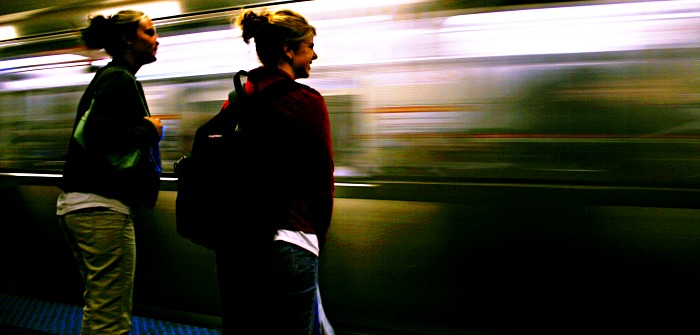
    On the way back from Arizona I flew via Chicago’s O’Hare Airport. I had a long wait but I have a laptop, a spare battery, DVD and Mame to keep me amused.

    I took a few photos too but I discovered shortly after taking this that photography in most parts of the airport is banned!

    From what I remember, it’s ok to take snapshots of family or friends beyond the security checkpoints, and possibly only with a compact camera. I can only imagine the fuss if I had been discovered taking photos of the runway and service areas with my big chunky Canon 20D!

    I know for a fact that photography in Heathrow is banned. It’s a good thing too. The flash might set off the dangerous liquids left by disgruntled and thirsty travellers before they go through security.

    Have you noticed this is a wide angle shot? I didn’t get my Sigma 10-20 back yet and no news from the camera store. I took this with a Canon 10-22 USM stuck to my camera. Matt very kindly gave me his lens because he’s buying Nikon kit. Thanks Matt!

    Aperture ƒ/5.6
    Camera Canon EOS 20D
    Focal length 10mm
    ISO 100
    Shutter speed 1/100s
  • Call me Spike

    Frost covered weeds still manage to grow and thrive in the cold.

    I saw this wonderful speckled white plant growing from a ditch yesterday morning and it looked very ominous. When I converted it to black and white I saw myself looking at something abstract, possibly evil, something that could be microscopic or huge.

    I wouldn’t hang this photo on a wall, but I love it!

    Aperture ƒ/3.5
    Camera Canon EOS 20D
    Focal length 50mm
    ISO 100
    Shutter speed 1/160s
  • The frosty daffodil

    This morning was a frosty one. My breath made clouds in the air and a light breeze carried away the warmth in the shadows.

    Thankfully there was a lovely sunrise that more than made up for the cold. Down at the end of our park there’s a small green area, and this is the second year that daffodils have grown there. Luckily the frost didn’t seem to do them any harm.

    "Sioc" is the Irish word for frost. I don’t know why but it’s one of my favourite. Maybe it has a lingering connection with cold frosty mornings from my childhood.
    “Sioc” is pronounced almost exactly like the English word “shook”.

    Aperture ƒ/9
    Camera Canon EOS 20D
    Focal length 50mm
    ISO 100
    Shutter speed 1/25s
  • Looks like rain in Ballycotton

    Threatening clouds over Ballycotton Harbour in Co. Cork. This was taken way back in 2006 on a nice September afternoon.

    Lots done to this image, including overlay layers, and layer masks and other fun.

    Aperture ƒ/11
    Camera Canon EOS 20D
    Focal length 10mm
    ISO 100
    Shutter speed 1/250s
  • Thumbs up for Cork!

    You may remember this gentleman from a photo I posted around a year ago (it’s pure coincidence I’m posting this today! Really!)

    This was shot in Midleton, Co. Cork during the Food and Drink Festival in 2006. Nice guy who came over for a chat afterwards.

    Aperture ƒ/11
    Camera Canon EOS 20D
    Focal length 200mm
    ISO 200
    Shutter speed 1/500s
  • GIMP For Photographers: Levels

    Many people find using the GIMP or Photoshop a daunting prospect but in fact those packages are quite easy to use once you’ve practiced a few times. This will be the first in an occasional series to help photographers use the GIMP to post process their photos.

    The Levels tool (right click on your image, select Colors, then Levels) is used to adjust the levels of the colours in your image by manipulating a histogram representing the image. In simple terms, you can make broad changes to the Red, Green, Blue and overall “Value” parts of your image.

    The single most useful function of the Levels tool is the “Auto” button. Click that button and the histogram will be stretched out. Your image should look better. If the photo lacked contrast, it can suddenly become a lot “punchier”!

    Here’s an example which will make things clearer.

    GIMP Levels before example

    This is a nice photo I took in Galway in 2005 with a Sony 717. Unfortunately, there’s a nasty yellowish sheen to the image. I probably shot this with the white balance set to cloudy. That can give a pleasing golden look to images but it’s not always welcome. The image also lacks contrast and looks under exposed. How do I fix that?

    GIMP Levels

    Fire up the GIMP Levels tool. Right click on the image, go to Colors, then Levels. This is the histogram for the image above. See how it’s all bunched into the middle? Now, click on the “Auto” button.

    GIMP Levels after example

    Wow! One click did that? The image looks so much better now! The swans actually look white and it’s brighter and shiny!

    GIMP Levels

    I opened the Levels tool again, just to see what effect “Auto” had on the histogram. Sure enough. It’s stretched from side to side.

    Levels before and after
    Before and After Auto Levels

    Wasn’t that easy?

    Advanced Usage
    You may have noticed the eyedropper buttons next to to the Auto button. Those are “Black”, “Grey” and “White” selectors. Click on one of those, your cursor will change to a eyedropper and then click on the corresponding colour in your image. They work pretty well, but can be confused. If it all goes wrong, just click the Reset button, or CTRL-z to undo if you’ve clicked OK.

    You can also manipulate the histogram manually. Just drag the sliders left and right until your image looks ok. You can change the channel with the drop down at the top of the Levels dialog. Changing individual channels does interesting “cross processing” things to an image.

    External links:

    1. The Levels tool on gimp.org docs
    2. Levels Tool – white, black and grey to the rescue! – a tutorial I wrote about the levels tool back in 2004!

    Want to know more? Leave a comment. I’d love to hear what you’d like to know and learn about the GIMP.